Samuel Gábor

Endpoint engineer · Slovakia

Samuel Gábor

I make company devices secure by default.

I build Microsoft Intune setups end to end: enrolment, apps, CIS-hardened baselines, compliance and Conditional Access, for Windows 11, iOS and Android.

pwsh · azuread\samuelgabor
A PowerShell session: pwsh --version returns PowerShell 7.5.2, whoami returns azuread\samuelgabor, Connect-MgGraph signs in to Microsoft Graph, and Get-MgDeviceManagementManagedDevice lists four Intune devices, all compliant.
Focus
Microsoft Intune, Entra ID, Microsoft 365, Security
Platforms
Windows 11, iOS, Android
Education
Master's, Security Technologies, UTB Zlín

01 · Endpoint management

Intune, end to end. Windows, iOS and Android.

10 projects, each building on the last: enrolment, apps, updates, hardening and compliance. Every card opens the full write-up on GitHub.

Field note · from production

Why Windows LAPS only showed the default admin on some new devices (GitHub, opens in a new tab)

Intune reported the LAPS policy as succeeded, yet a few brand-new devices never created the managed account. An Autopatch report gave it away: they had shipped on Windows 11 21H2, and automatic account management needs 24H2 or later.

  • Windows LAPS
  • Entra ID
  • Autopatch
What each build did with the same LAPS policy
21H225H2
Backup to Entra ID✓ yes✓ yes
Automatic account✗ ignored✓ created
Account in EntraAdministratorCustom account

6 projects

Windows 11

Built in order on one lab tenant: provision the device, deliver apps, keep it patched, then lock it down.

  1. W-01

    Entra joined, cloud-only Autopilot (GitHub, opens in a new tab)

    Zero-touch Windows 11 provisioning with no on-premises AD, a Group Tag driven dynamic group and an Enrollment Status Page that holds the desktop until setup finishes.

    • Autopilot
    • Entra ID
    • ESP
  2. W-02

    Application deployment (GitHub, opens in a new tab)

    The three ways to ship software through Intune: a Store app, the Enterprise App Catalog, and a custom Win32 package with its own detection and requirement rules.

    • Win32 apps
    • App Catalog
    • Company Portal
  3. W-03

    Autopilot device preparation (GitHub, opens in a new tab)

    A user-driven device preparation policy with no hardware hashes, up to 10 apps and scripts before sign-in, compared step by step with traditional Autopilot.

    • Device preparation
    • Entra ID
  4. W-04

    Windows Autopatch (GitHub, opens in a new tab)

    Quality, feature, driver, Microsoft 365 Apps and Edge updates rolled out through five rings, with every device moved to Windows 11 26H2 and no hand-built update policies.

    • Autopatch
    • Update rings
  5. W-05

    Compliance, baselines and BitLocker (GitHub, opens in a new tab)

    A compliance policy requiring BitLocker and Secure Boot, a security baseline, XTS-AES 256 BitLocker with recovery keys in Entra ID, and the full CIS Windows 11 Level 2 policy set.

    • Compliance
    • BitLocker
    • CIS Level 2
  6. W-06

    CIS baseline for Windows 11 (GitHub, opens in a new tab)

    Configuration profiles matching the CIS Windows 11 v3.0.1 Level 1 benchmark, exported so another tenant can import them in one step.

    • CIS v3.0.1
    • IntuneManagement

1 project

iOS

Personal iPhones enrolled through Company Portal, protected with CIS hardening, compliance and App Protection.

  1. I-01

    iOS CIS hardening, compliance and App Protection (GitHub, opens in a new tab)

    A personal iPhone enrolled through Company Portal, hardened with the CIS iOS End User profile, with an Apple push certificate, a compliance policy and App Protection for Microsoft 365 apps.

    • CIS End User
    • Company Portal
    • App Protection

1 project

Android

Company-owned phones, fully managed from the first boot.

  1. A-01

    Android Enterprise MDM (GitHub, opens in a new tab)

    Samsung phones enrolled by QR code, hardened to CIS Android v1.5.0, set up with work apps and blocked from Microsoft 365 when they fall out of compliance.

    • Android Enterprise
    • Managed Google Play
    • Conditional Access

1 project

Security operations

Getting endpoint and identity logs into a SIEM, ready for detections.

  1. S-01

    SIEM SOC lab (GitHub, opens in a new tab)

    An Active Directory domain and a Windows 11 workstation on Hyper-V, sending Security, System and Sysmon logs to Splunk Enterprise as the base for detections and attack simulation.

    • Splunk
    • Sysmon
    • Active Directory
    • Hyper-V

02 · Toolkit

What I work with.

Every item here is used in at least one of the projects on this page.

Device management

Getting devices enrolled and ready without touching them.

  • Windows Autopilot
  • Autopilot device preparation
  • Company Portal enrolment
  • Android Enterprise
  • Store, catalog and Win32 apps

Hardening

Baselines that turn a benchmark into enforced settings.

  • CIS Windows 11, iOS, Android
  • Security baselines
  • BitLocker
  • Windows LAPS
  • Compliance policies

Identity and access

Only healthy devices reach company data.

  • Microsoft Entra ID
  • Dynamic groups
  • Conditional Access
  • App Protection (MAM)
  • Defender for Endpoint risk

Operations and monitoring

Keeping a fleet current and seeing what happens on it.

  • Windows Autopatch, deployment rings
  • Splunk, Sysmon
  • Active Directory, Hyper-V lab
  • PowerShell, Microsoft Graph
  • Unraid, Docker lab

03 · Lab

Where things get tested first.

A small server that holds my storage, runs the network controller and home automation, and gives me somewhere safe to break things.

The HP ProLiant MicroServer Gen8

A four-bay server with a Noctua fan and thermal pads for sustained load, running Unraid with a parity drive and an SSD cache.

OS
Unraid, one parity drive, SSD cache pool
Services
Docker, UniFi Controller, Home Assistant
Mods
Noctua fan, thermal pads

04 · Research · wireless and embedded

Breaking and fixing keyless entry.

Across my bachelor's and master's theses I built a model of a car's remote locking system at 433 MHz, attacked it with hardware I made, then redesigned it to detect those attacks.

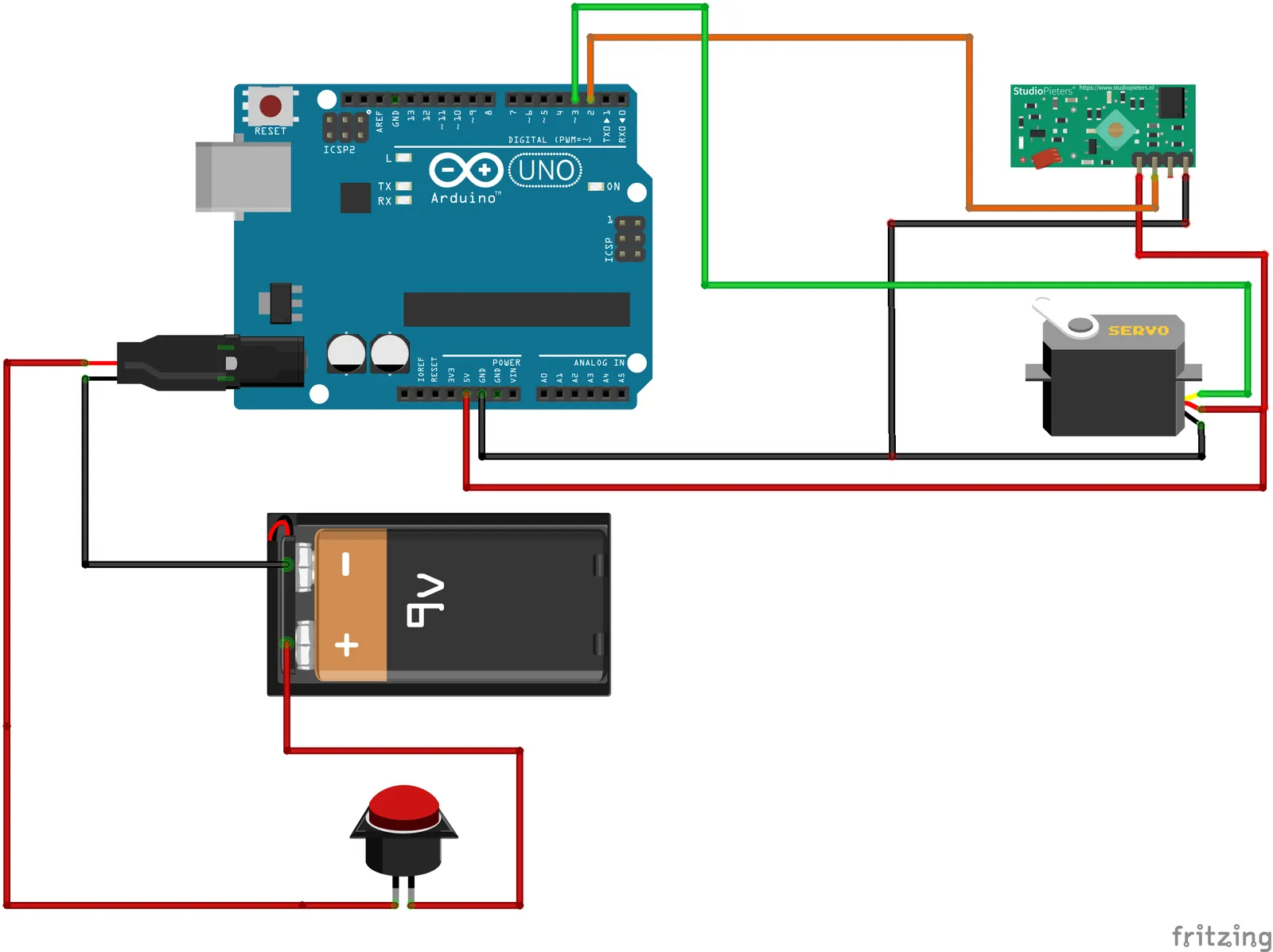
  1. Wiring diagram of the Arduino receiver with RF module, servo and LCD
    BuildBachelor's, 2023

    Arduino Car Lock (GitHub, opens in a new tab)

    Two Arduinos acting as a car remote and a door lock, talking over 433 MHz.

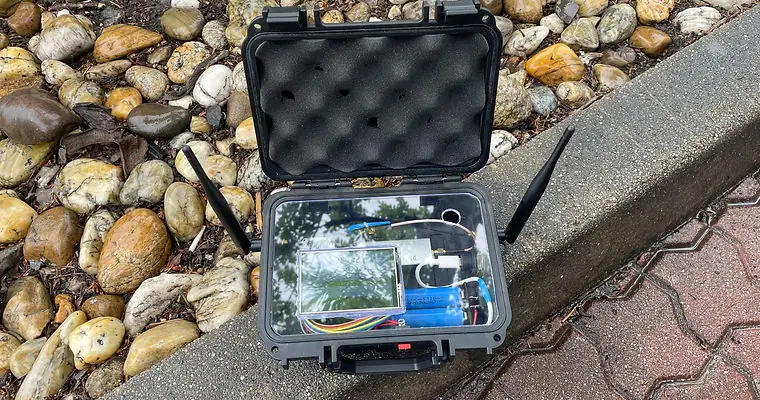
  2. The replay device inside an open waterproof case, with two antennas and a touchscreen
    AttackOwn hardware

    RF capture and replay device (GitHub, opens in a new tab)

    A Raspberry Pi and RTL-SDR in a waterproof case that records a remote and plays it back.

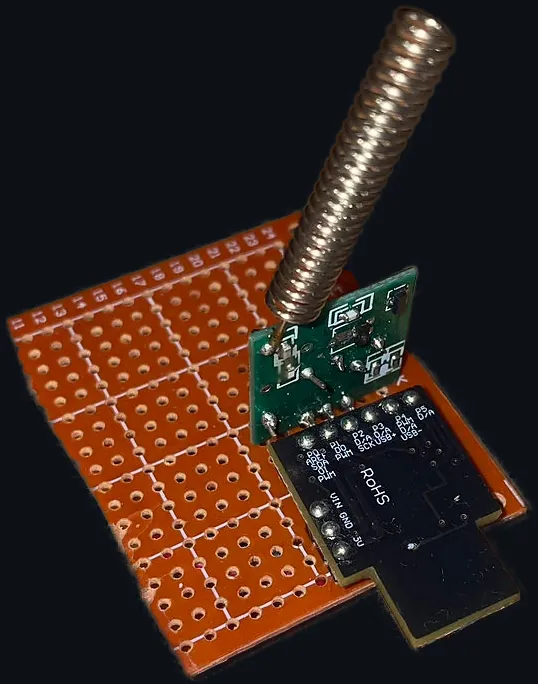
  3. The small 433 MHz jammer circuit board
    AttackAbout €5

    433 Jammy (GitHub, opens in a new tab)

    A cheap jammer for the band most European car remotes use.

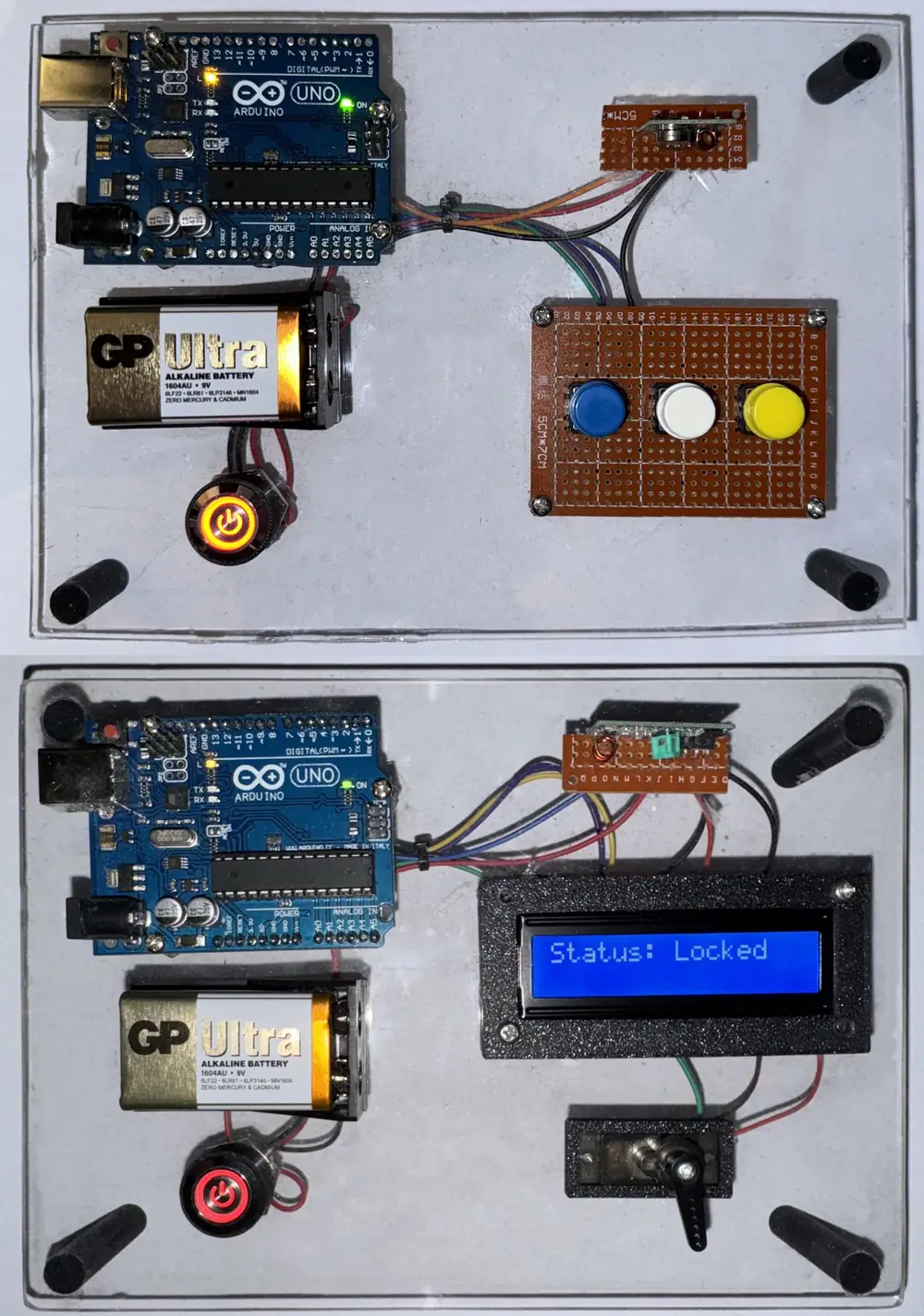
  4. The finished transmitter and receiver boards; the receiver's LCD reads Status: Locked
    DefendMaster's, 2025

    Arduino Car Lock Advanced (GitHub, opens in a new tab)

    A rolling counter in every command, so a replayed signal is spotted and refused.

05 · About

Build secure systems. Break insecure ones.

I studied security technologies at Tomas Bata University in Zlín and work on endpoint and infrastructure security, mostly with Microsoft Intune and Microsoft 365.

My interests also cover security monitoring, mobile app analysis and vulnerability research, plus radio: SDR tools, RF signals, wireless systems and embedded devices. Knowing how a system gets attacked is what makes the defence worth trusting.

Education

  1. Engineer's degree (Ing.), Security TechnologiesTomas Bata University in Zlín · 2025
  2. Bachelor's degree, Security Technologies, Systems and ManagementTomas Bata University in Zlín · 2023

Want to see more of the configuration?